

MRI Information
Preparing for Your MRI
We’re so excited to see you for your MRI session!
This is the Northwest Building, where we keep the special camera that can take pictures of your brain. On the day of your session, you will meet our researchers, who will show you where to go.

For Parents: Before your session, if you are driving, please make sure to check your email for additional parking information from us. You can park in the garage at 52 Oxford St and take the elevator up to level B1. Be sure to park in one of the “MRI Neuroimaging” spots. We will be waiting for you outside of the elevator! You can see more directions here.
If you walk, bike, or take the T, let us know and we will meet you in the lobby.

The entrance to our parking garage
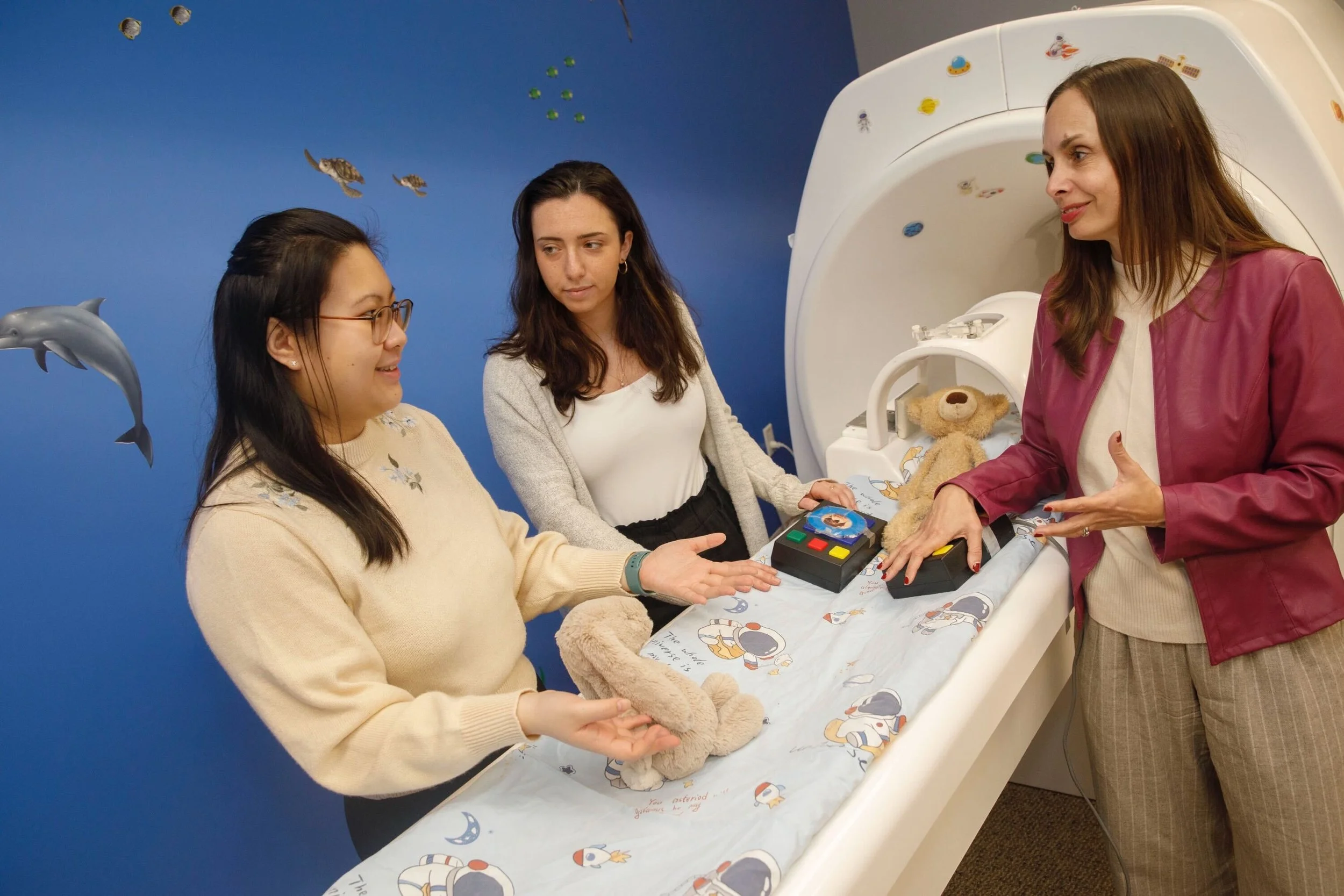
When you arrive, we will take you down to where we keep our brain camera. First, we will show you our pretend brain camera. We will explain how our brain camera works and help you get comfortable lying down on the bed.
We will also practice the games that you will play before we go inside of the pretend brain camera, and let you pick a movie to watch and some fun sheets.


Then we will have you change into some cool pajamas. Our brain camera is a big magnet, so we want to make sure you don’t have anything metal with you before you go in.
We will check you with a metal detector wand to make sure you’re safe to go inside!


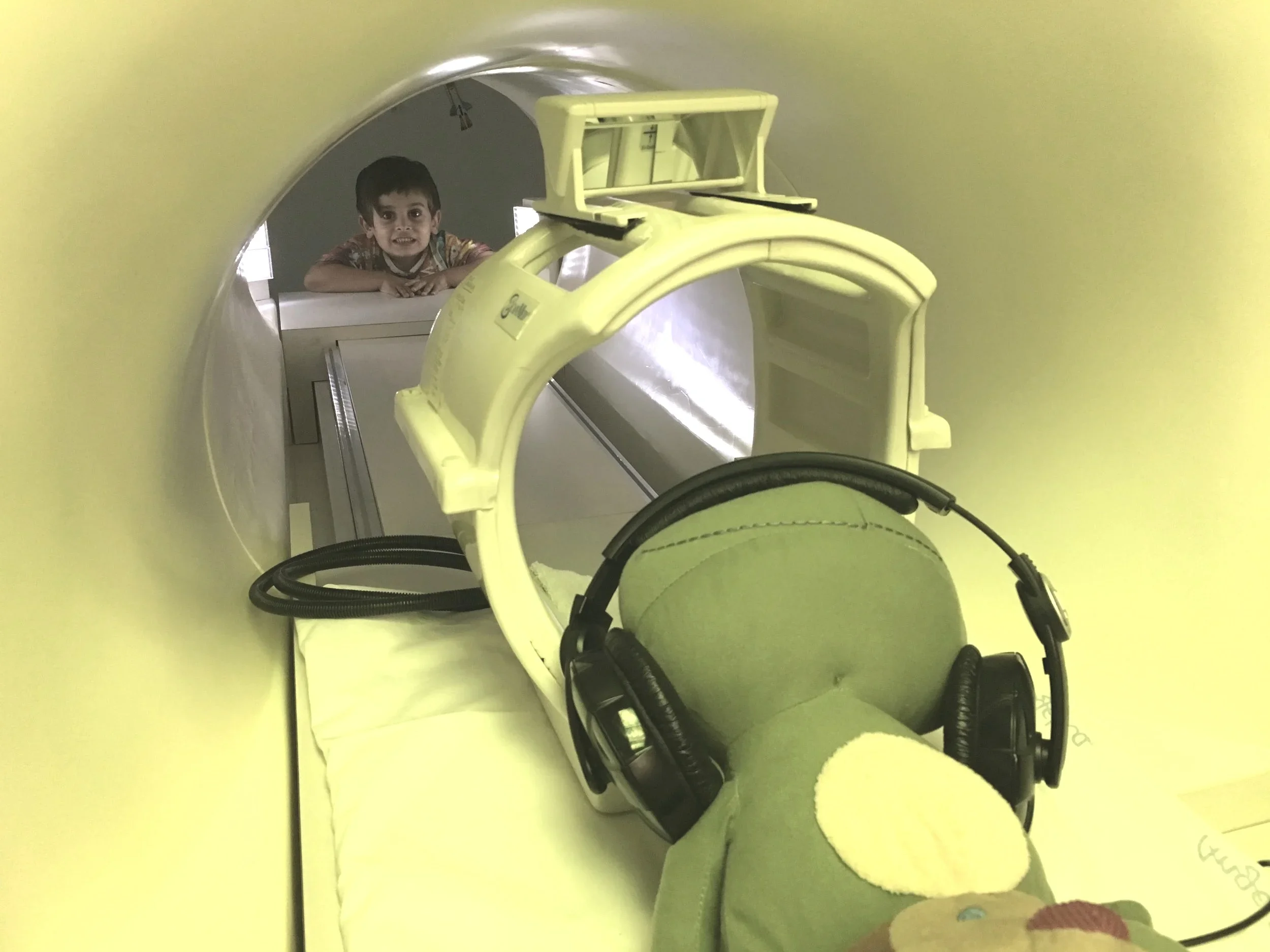
Then, we will go to the real brain camera. The brain camera makes clicking sounds, just like a regular camera. You will have big headphones on and be listening to the games and movie, so it won’t be too loud. Here is an example of what some of the clicks sound like, so you can practice listening to them.

This is what the real brain camera looks like. It’s a little bigger than our fake brain camera, but it works the same way! You will lie down on the bed, and we will put a mirror over your head so that you can see the screen to watch your movie.
While you’re in the brain camera, one of us will always be in the room with you to make sure you are comfortable and having fun. You will play some games and then watch a movie.
At the end, you get a really fun prize, some snacks, a gift card, and a picture of your own brain!
We can’t wait to see you soon!
Feel free to email us at gaablab@gse.harvard.edu if you have any questions before your MRI session.


MRI Safety
About MRI
Magnetic Resonance Imaging (MRI) is a common medical procedure used in hospitals and clinical settings in all age groups- from newborns to the elderly.
It has been used with infants for over 20 years, and is fully approved by the Federal Drug Administration (FDA). MRI uses a strong magnet to produce images of the body, and is considered biologically harmless. No radiation is used. There are no known harmful side effects associated with temporary exposure to the magnetic field used by MRI machines.
In order to go inside the MRI room, you and your child must be metal-free. Since MRI uses a strong magnet, metal objects are not allowed inside the MRI room. This includes clothing with metal buttons, zippers, etc. We will check to make sure that you and your child are metal-free with a metal detector.
Dr. Nadine Gaab and her daughter in the MRI environment.
About fMRI
“fMRI” stands for functional Magnetic Resonance Imaging.
fMRI uses a magnetic field to measure increases in blood flow in the brain. fMRI allows us to see what areas of the brain are working harder than others. By having people perform simple tasks during the scan (such as listening to sounds or looking at pictures) we can see how the brain responds.
For Infants/Toddlers
We will help your child fall asleep naturally before the scan. No sedation or anesthesia will be used. We have developed a well-established protocol to carry out MRI with infants without sedation or anesthesia, therefore increasing the safety and efficiency of the procedure.
For Older Children
Before the scan, we will play with your child in a fake, playful MRI machine so that they can become more comfortable. During the scan, your child will lie down for about an hour with his/her head resting in a small compartment. The compartment has a mirror above it that shows you a projection from a computer screen. They will also be wearing earplugs and/or headphones. The mirror and headphones allow them to participate in audio and/or video tasks. The scanner makes knocking and beeping sounds while it is working, but the earplugs and/or headphones will protect their ears.